




Browsing Category
Features & App Tutorials
15 posts
Explore comprehensive guides to UltraTrader’s powerful features and integrations. From dashboard navigation to broker API connections, learn step-by-step how to set up, configure, and maximize your trading platform for optimal performance and data synchronization.
Blofin API Auto Import Instructions
In this guide, we’ll walk you through the process of setting up your Blofin account to import your…

MT4/5 File Upload Instruction
In this guide, we’ll walk you through the process of uploading your MT4/MT5 file to import trades into…

How to Use Crypto Portfolio Optimizer for Smarter Crypto Investments
Welcome to the step-by-step guide to using the market insights in the portfolio optimizer. This guide assumes you…
Bitget API Auto Import Instructions
In this guide, we’ll walk you through the process of setting up your Bitget account to import your…

Guide to UltraTrader’s Strategy Tab
Trading is like sitting at a high-stakes poker table. You could throw your chips in blindly, hoping for…
TradeLocker Auto-Sync Tutorial
Welcome to this tutorial on connecting your TradeLocker account to UltraTrader. In this guide, we will walk you…
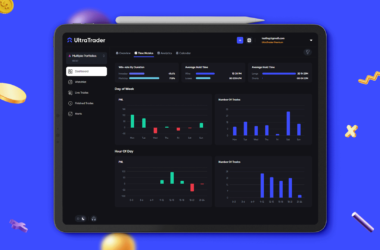
Discover the All-New Dashboard: Gain Deeper Insights into Your Trades
Dear Traders, We’re excited to bring you a new update packed with unique features and improvements.—a completely revamped…
KuCoin API Connection Instructions
This guide will assist you in configuring your KuCoin account for automatic synchronization of your trades with UltraTrader.…
OKX Auto Import Instructions
This step-by-step guide is aimed to walk you through the process of setting up your OKX account to…
MEXC API Auto Import Instructions
This step-by-step guide is aimed to walk you through the process of setting up your MEXC account to…