



An automated trading journal is no longer a “nice-to-have” for serious traders; it is the backbone of consistent, data-driven performance. UltraTrader’s automated trading journal app takes this one step further by syncing trades from your brokers, tracking key metrics like win rate, risk‑reward, and profit factor, and turning your raw history into clear, visual feedback that you can actually act on.
What Is an Automated Trading Journal?
An automated trading journal is a digital tool that records and analyzes every trade without manual data entry. Instead of copying trades into spreadsheets, the system pulls executions directly from your broker or exchange, then calculates performance metrics, visualizes equity curves, and reveals patterns you would otherwise miss.
In UltraTrader’s case, the app connects to your brokers and exchanges, imports both live and historical trades in seconds, and organizes them into a clean dashboard. You see your Realized PNL, Win Rate, Average Risk‑to‑Reward (RR), Profit Factor, and Expected Value (EV) for any slice of data—by symbol, strategy, timeframe, or account. This is automated journaling designed for traders who want less logging and more learning.
Why Manual Journals Fail Most Traders
Almost every trading book recommends a journal. The problem is not knowing that journaling helps; the problem is keeping up with it. Manual spreadsheets and notebooks fail traders for three main reasons.
- They are time‑consuming when trading frequently.
- They are error‑prone (typos, missing trades, wrong quantities).
- They get abandoned exactly when you need them most, during fast markets or emotional drawdowns.
Many traders start journaling with good intentions, then stop after a few weeks because maintaining the log feels like more work than trading itself. An automated trading journal app like UltraTrader removes this friction: trades are synced automatically, metrics are calculated instantly, and your main job becomes reviewing and improving instead of data entry.
How UltraTrader’s Automated Trading Journal Works
UltraTrader is built as “the automated trading journal for serious traders,” focusing on fast import, clear analytics, and multi‑market coverage. The platform is available on iOS, Android, and web, and is designed to keep all your trading data in one place, whether you trade crypto, forex, stocks, or commodities.
With UltraTrader, you can:
- Connect supported brokers and exchanges to sync trades automatically.
- Import CSV files from platforms that do not support direct sync yet.
- Track both real and paper trades in the same environment (including forex paper trading).
- Tag trades by strategy, symbol, timeframe, or market condition.
- See visual dashboards that highlight performance patterns and risk leaks in seconds.
The result is a modern trading journal app that lets you “trade more, log less” while still gaining the full discipline and insight benefits of proper journaling.
The Metrics That Actually Matter (And UltraTrader Tracks Them For You)
A good trading journal should not just show random stats; it should focus on the few metrics that truly describe the quality of your edge. UltraTrader’s dashboard is built around exactly these numbers.
- Realized PNL: How much you actually made or lost from closed trades over a given period, symbol, or strategy. This is your real scoreboard, not hypothetical open profits.
- Win Rate: The percentage of trades that end in profit. On its own, it can be misleading, which is why UltraTrader always shows it alongside RR and Profit Factor.
- Average Risk‑to‑Reward (RR): How large your average winner is compared to your average loser. An average RR around 2 with a healthy Win Rate usually indicates a robust system.
- Profit Factor: Total win amount divided by total loss amount. Values above 1.3 typically signal a healthy edge, while anything below 1 means the system is losing over time.
- Expected Value (EV): The average amount you make or lose per trade over the long run, combining Win Rate, average win, and average loss.
Instead of guessing whether your strategy “feels” good, UltraTrader shows exactly how these metrics change when you filter by symbol, session, direction (long vs short), or timeframe. This is where an automated trading journal becomes a strategy laboratory, not just a diary.
UltraTrader’s Dashboard: Turning History Into Actionable Insight
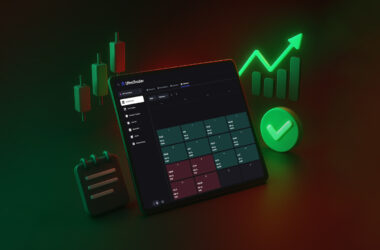
UltraTrader’s dashboard is divided into four core tabs that function as the engine of your trading journal: Overview, Time Metrics, Analytics, and Calendar.
- Overview: Gives your big picture: Realized PNL, Win Rate, RR, Profit Factor, EV, balance, fees, and finished trades PNL curve. This is where you quickly see if your system is improving or breaking down.
- Time Metrics: Shows how performance changes across intraday vs multiday, hours of the day, days of the week, and weeks. This is how you discover that, for example, your Friday afternoon trades consistently underperform and should be cut.
- Analytics: Breaks down performance by symbol and direction, highlighting which markets and sides (long/short) truly work for you and which silently drain your equity.
- Calendar: Visualizes your PNL on a calendar heatmap across days, weeks, and months, making it obvious when your discipline slips or when specific periods in the year tend to be volatile for you.
These four tabs work together as a complete feedback system. You can spot a bad week in the Calendar, drill into the symbols that caused it in Analytics, see at what hours those trades were taken in Time Metrics, and finally inspect individual trades in Overview. That is the power of a well‑designed automated trading journal app.
Why UltraTrader Beats Generic Spreadsheets and Basic Apps
There are many trading journals and templates out there, but most fall into one of two extremes: they are either too simple (basic logs with no real analytics) or overloaded with 100+ stats that look impressive but do not directly help decision‑making.
UltraTrader is intentionally positioned in the middle: deep enough for serious traders, clean enough to actually use every day.
Key advantages include:
- Automated trade sync and file import, so you capture every trade without extra work.
- Multi‑asset support (crypto, forex, stocks, indices, commodities) in one app.
- Performance analytics focused on what matters: Win Rate, RR, Profit Factor, EV, time‑based patterns, and symbol‑level edges.
- Calendar heatmaps and PNL curves that turn performance into visual stories.
- Tags and notes so you can still record psychology, mistakes, and setup quality.
External reviews highlight UltraTrader as an affordable, analytics‑focused trading journal with a simple interface and clear pricing, often ranking it among the best trading journal apps for 2025–2026. This supports what users experience inside the product: a tool built to make journaling painless and analysis powerful.
Automated Trading Journal for Forex, Crypto, Stocks and More
Many traders today operate across multiple markets: crypto on Binance, forex on a MetaTrader broker, and stocks through a separate platform. Without automation, journaling this mix is a nightmare.
UltraTrader is designed as a multi‑broker, multi‑market trading journal app:
- Crypto traders can sync exchange trades and track PNL, fees, and performance by pair.
- Forex traders can use both real and paper trading modes to test strategies risk‑free while still seeing full analytics.
- Stock and index traders can centralize executions from different brokers into one performance view.
Instead of maintaining three different logs, UltraTrader gives you one automated trading journal that consolidates everything. This is especially important when managing correlated risk; UltraTrader’s Analytics tab helps you see when you are effectively taking the same bet across several markets.
The Psychological Edge: Journaling Beyond Numbers
While UltraTrader is built around solid statistics, the real advantage comes from how those numbers change behavior. A trading journal app gives you honest feedback you cannot argue with.
Traders use UltraTrader to:
- See if they hold losers longer than winners by comparing average hold time by win vs loss.
- Detect revenge trading after big red days by looking at calendar patterns.
- Identify which setups are truly “A+ trades” versus emotional entries, using tags and performance filters.
Even if you add just a few notes per session such as emotion level, market conditions, rule violations, UltraTrader becomes a mirror for your psychology as much as your strategy. That combination of automated data and selective manual reflection is where real growth happens.
How to Use UltraTrader as Your Automated Trading Journal (In Practice)
To turn UltraTrader from an app on your phone into a core part of your edge, keep the workflow simple.
- Connect and import
- Connect your supported brokers/exchanges or import CSVs so your full trade history is in UltraTrader.
- Make sure new trades are syncing automatically or regularly imported.
- Tag and structure
- Create a small set of strategy tags (e.g., “Breakout”, “Mean Reversion”, “News Fade”).
- Tag new trades by strategy and timeframe so you can slice analytics later.
- Weekly review
- Once per week, review Overview, Time Metrics, Analytics, and Calendar for the last 5–20 trading days.
- Ask: which symbols worked, which times hurt, and which strategy tags show the best Profit Factor and EV.
- Translate findings into rules
- Turn data into rules like “no trades after 3pm”, “remove Symbol X”, or “half risk on shorts until Short Profit Factor > 1.3”.
- Track if Realized PNL, Profit Factor, and EV improve after those changes.
This is the loop that transforms UltraTrader from “yet another trading tool” into the backbone of your decision‑making process.
Why Every Serious Trader Needs an Automated Trading Journal App
Competing in today’s markets without a robust trading journal is like running a professional business with no accounting system. You might survive for a while, but you cannot diagnose what works, fix what breaks, or scale what’s profitable.
UltraTrader positions itself clearly: “The automated trading journal for serious traders.” By combining automated trade sync, focused analytics, multi‑market support, and clean dashboards, it helps traders move from guessing to measuring, and from hoping to testing.
If you are still relying on screenshots, random notes, or half‑filled spreadsheets, now is the time to upgrade your process. Set up UltraTrader as your automated trading journal app, connect your accounts, and let your trading history start working for you instead of just sitting on your broker’s server.